
How to turn on Notifications on your phone
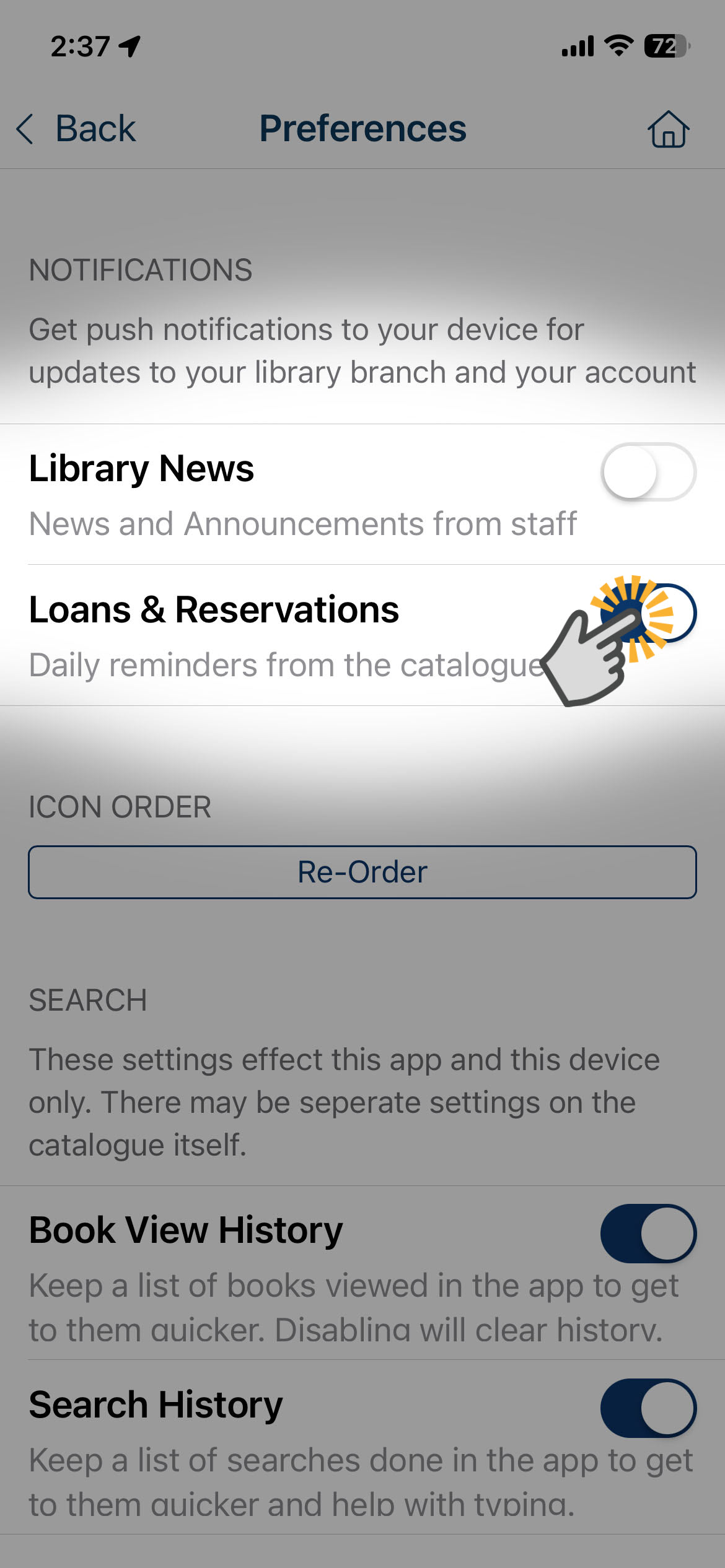
Enable Loans & Reservations notifications to receive alerts when items you've reserved are ready to collect or your loans are due back to the library.
Enable Library News notifications to receive announcements about upcoming library closures, app updates and changes to library services.

Troubleshooting
If you are not receiving notifications despite opting in, try deleting and reinstalling the Sutherland Shire Libraries app.
- Tap and hold the library app icon on your device until the context menu appears.
- Follow steps to delete the app from your device completely (don't just remove it from the home screen).
- Deleting the app will clear all app data from your device, letting you start fresh.
Download and install the app from the relevant app store, depending on your device…
- For iPhones/iPads, search for the Sutherland Shire Libraries app in the App Store.
- For Android devices, search for the Sutherland Shire Libraries app in the Play Store.
Once you have reinstalled the Sutherland Shire Libraries app…
- From the Library app home screen, tap on My Account.
- Tap on Sign In.
- Enter your library card number and PIN when prompted.
Once logged in, check that Notifications are enabled…
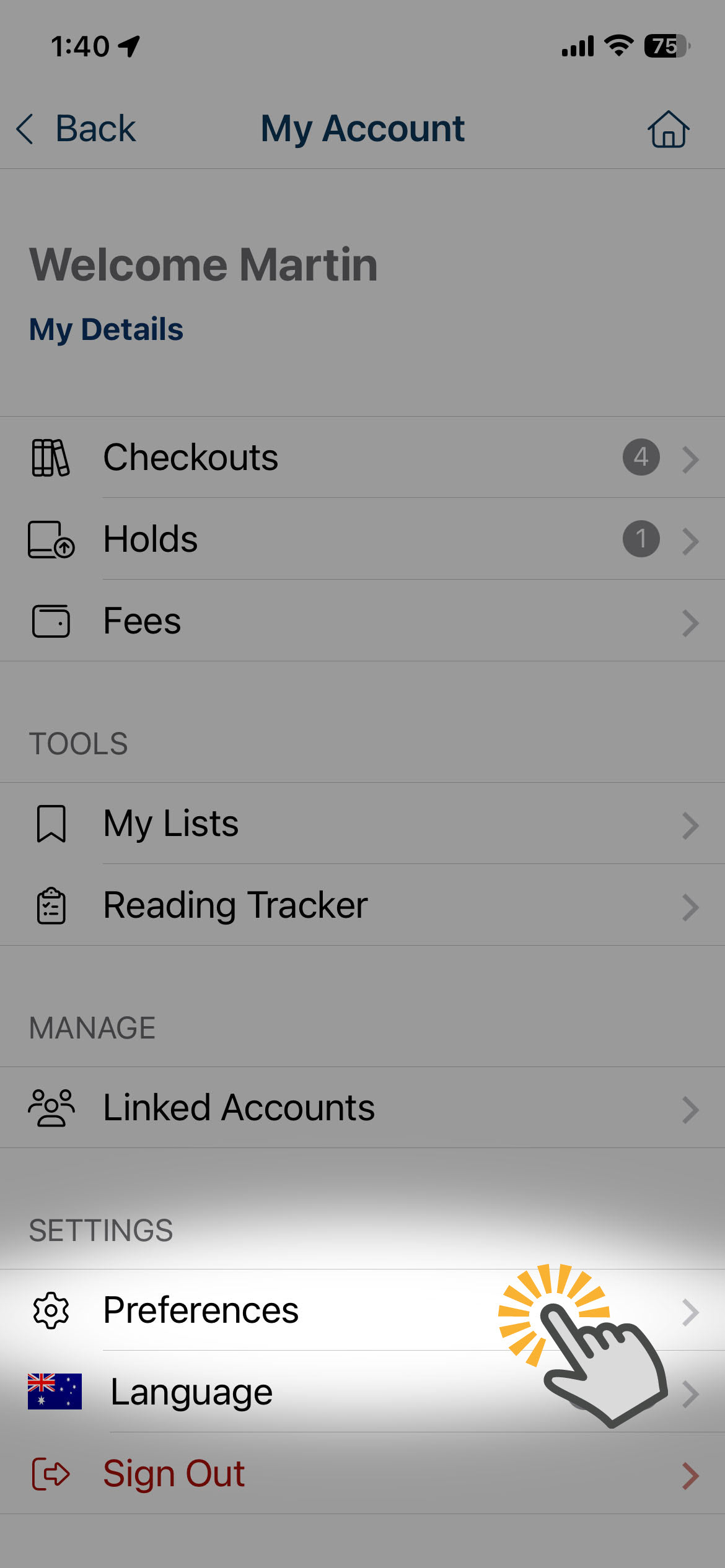
- Tap on My Account.
- Scroll down and tap on Preferences.
- Check that notifications for Library News and/or Loans & Reservations are turned on.
If you continue to experience issues with notifications in the library app our friendly team is here to help. Visit us at one of our libraries or call 02 9710 0351.